Some links in this post are affiliate links. If you sign up through them, I may earn a commission at no extra cost to you. I only recommend tools I use in my own business and for my clients.
One of the most common questions I hear from creators and founders is some version of this: what do you actually use?
Not what is trending. Not what a sponsored list says. What actually holds a creative business together, day after day.
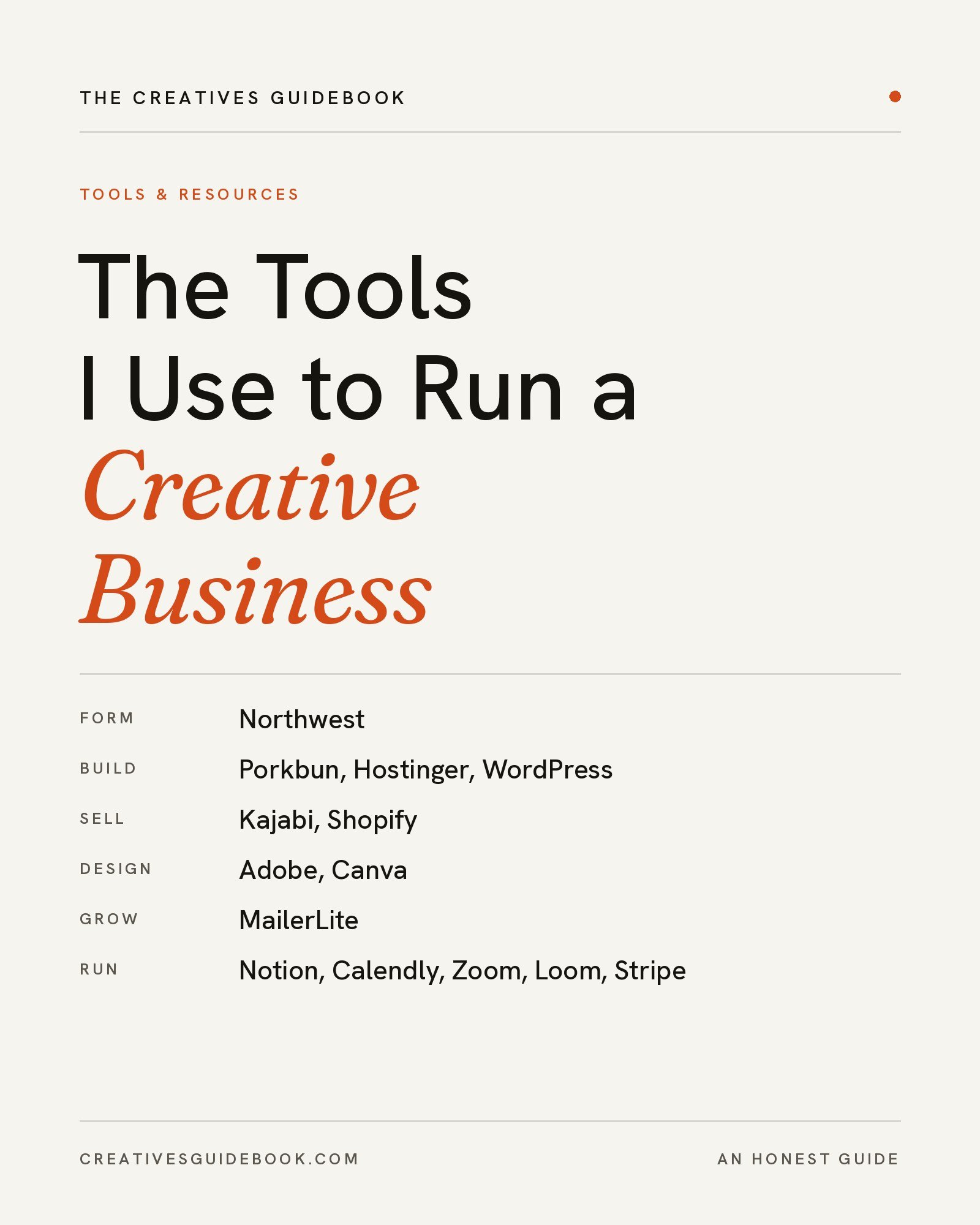
This is that list. Every tool here is one I use to run Stu Creatives, publish The Creatives Guidebook, or build for clients. Some I have used for years. Some replaced tools that did not work. A few have free plans that make them ideal if you are just starting out.
I have organized them in the order most people need them: forming the business, building your website, designing your brand, and running your client work.
This post is all about the best tools for creative entrepreneurs: the tools I actually use to run a creative business, from forming an LLC to managing clients.
Forming Your Business
Northwest Registered Agent
When I formed Stu Creatives LLC, I knew I did not want my home address on public filings or client documents. Northwest Registered Agent serves as my registered agent, and I use their mail forwarding add on as my business address.
What I value most is the privacy and professionalism it gives me. I work with clients around the world, not only in the United States, and having a professional business address means I never have to choose between appearing established and protecting my personal information.
Best for: anyone forming an LLC who wants to keep their home address private.
Building Your Website
Porkbun
Every domain I own is registered through Porkbun. I have never had a problem with it. The process is simple, setup is quick, and the pricing is genuinely affordable, which matters when you own more than one domain.
Best for: registering domains without confusing upsells.
Hostinger
Hostinger hosts my websites and runs my business email. I have had no problems with either, and I have also set up client websites on Hostinger without any issues. For a creative business, reliable hosting is one of those things you should never have to think about, and with Hostinger, I rarely do.
Best for: affordable, reliable hosting and professional email in one place.
WordPress
I have used WordPress since I was a teenager, when I first started blogging. Today it runs three of my websites, and I have designed and set up WordPress sites for founders as well.
What makes WordPress different is ownership. It gives you complete freedom to design your site, and everything you create belongs to you. You are never building on a platform that could change its rules or shut down and take your work with it. For anyone building a brand meant to last, that matters.
Best for: creators and founders who want full creative control and true ownership of their website.
Kajabi
I have designed on Kajabi for clients running businesses earning six figures, and I appreciate how straightforward it is. You can build courses, coaching programs, and memberships without piecing together separate tools, and if you know how to code, you can customize far beyond the templates.
Best for: coaches, educators, and creators selling courses, programs, or memberships.
Shopify
When clients need an online store, I design on Shopify. The design process is straightforward, and its AI features make building and managing a store noticeably faster.
Best for: anyone selling physical or digital products online.
Designing Your Brand
Adobe
I am Adobe certified, and Adobe is where my most detailed work happens: graphic edits, client design work, and the mockups for my art business. When precision matters, it is the tool I reach for.
Best for: designers and artists who need professional level control.
Canva
For quick updates, I use Canva. It is ideal for social graphics, simple layouts, and fast edits when opening a full design program would be more than the task needs.
Best for: quick, polished graphics, especially if you are not a designer.
If you are building your visual identity from the beginning, my guide to creating a brand identity walks through how to choose your colors, fonts, and imagery before you start designing.
Growing Your Audience
MailerLite
MailerLite runs my signup forms and newsletters, including the automation that delivers my free Brand Identity Checklist the moment someone subscribes. I use the free plan, and it offers far more than I expected: forms, automation, and newsletters without a monthly bill.
Best for: creators starting an email list without a big budget.
Running Your Client Work
Notion
Notion has been a godsend for my client management. Projects, notes, timelines, and client details all live in one organized workspace. As my business grows, I plan to move client management to HubSpot, whose marketing platform I love. I am also certified in HubSpot marketing, so I will share that transition here when it happens.
Best for: organizing clients and projects in one flexible workspace.
Calendly
Every consultation I book runs through Calendly. What I love most are the intake questions you can add to your booking page and the option to collect payment when someone books. I learn what a client needs before we ever meet, which makes every consultation more productive.
Best for: booking consultations without the back and forth.
Zoom and Google Meet
I use Zoom for meetings and scheduling with clients. Google Meet is my other go to, and it is an excellent free option if you are just starting out and do not need extra features yet.
Best for: client calls, from your first consultation onward.
Loom
When a client needs a walkthrough of their new website or a design decision, I record it with Loom. A short video explains things more clearly than a long email, and clients can watch it whenever it suits them.
Best for: explaining your work without scheduling another meeting.
Stripe
I use Stripe for payments and invoices. It is reliable, professional, and simple for clients to pay through, which is exactly what a payment tool should be.
Best for: getting paid professionally from day one.
If You Are Just Starting Out
You do not need every tool on this list at once. If you are launching a creative business with a small budget, this is the foundation I would start with:
- A domain from Porkbun
- Hosting and email from Hostinger
- A website built on WordPress
- An email list on MailerLite’s free plan
- Quick graphics in Canva
- Bookings through Calendly
- Calls on Google Meet
- Payments through Stripe
Add the rest as your business grows and your needs become clearer. Tools should support your systems, not replace them. For more on building that structure, read these business tips for creators.
Frequently Asked Questions
What tools do I need to start a creative business?
At minimum, most creative businesses need a domain, website hosting, a website platform, a way to collect payments, and a way to book clients. A simple starting stack is a domain from Porkbun, hosting from Hostinger, a WordPress website, Stripe for payments, and Calendly for bookings. Add an email platform like MailerLite as soon as you are ready to build an audience.
Are free tools good enough for a new creative business?
Often, yes. Free plans from tools like MailerLite, Canva, Calendly, and Google Meet cover the essentials for most new businesses. Upgrade when a paid feature saves you meaningful time or helps you earn more, rather than paying for features you are not using yet.
Do I need a registered agent for my LLC?
Every LLC must have a registered agent, a person or service that receives legal and government documents on the business’s behalf. You can serve as your own, but your address then appears on public records. A registered agent service like Northwest keeps your home address private and ensures important documents are never missed.
Final Thoughts
The right tools will not build your business for you, but the wrong ones can quietly slow it down. Choose tools that reduce friction, protect your ownership, and make your work easier to repeat.
I will keep this list updated as my own systems evolve. If you would rather have your website, brand, or marketing system built for you, that is the work I do at Stu Creatives.
Before you go, get the free Brand Identity Checklist, and explore more entries from The Creatives Guidebook.
This post was all about the best tools for creative entrepreneurs.
Leave a Reply